SXFX MIDI Remapper
Turn your standard MIDI controller into a productivity powerhouse. Create layers, advanced combinations, and smart conditional logic to control your DAW exactly how you want.
🎹 SXFX MIDI Remapper - User Guide (v1.7.0)
Turn your standard MIDI controller into a productivity powerhouse. Create layers, advanced combinations, and smart conditional logic to control your DAW exactly how you want.
🚀 Core Concepts
What does it do?
It sits between your MIDI controller and your DAW/Software. It intercepts messages, processes them according to your Rules, and sends them out. This allows you to:
- Shift Layers: Use one button to change the function of your faders/knobs.
- Clean Up: Filter out unwanted noise or unused controls.
- Convert: Turn infinite encoders into standard absolute faders.
- Multi-Hardware Support: Connect multiple controllers simultaneously.
🏗️ Hardware Setup
1. Multi-Input Selection
The MIDI IN section now features a "Select inputs..." button.
- Click it to choose one or more MIDI devices.
- Signals from all selected devices will be processed in parallel.
2. Exclusive Hardware Lock
Once you click GO!, SXFX MIDI Remapper takes exclusive control of the selected MIDI ports.
- This prevents other applications from interfering with the devices while the engine is running.
- To release the lock, simply click STOP.
🎛️ Translation Modes
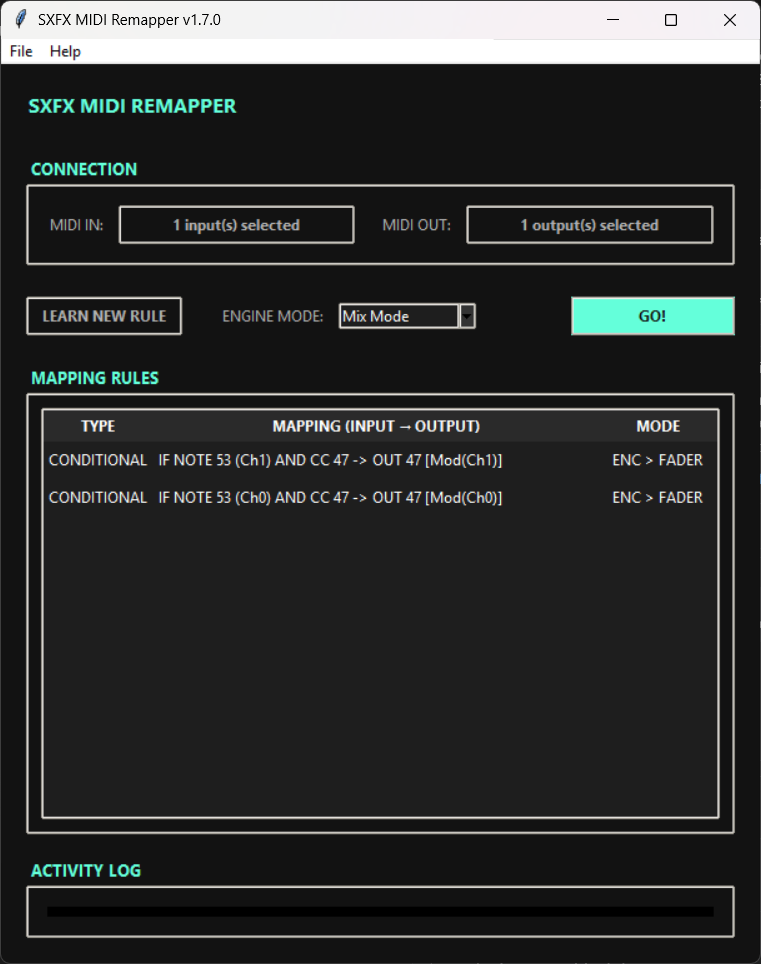
The core of v1.7.0 is the Live Mode Selector. Choose how the engine behaves in real-time:
1. Mix Mode (Recommended)
- Behavior: Your Rules apply. Your piano/free keys PASS through. Shift buttons are SILENCED.
- Best for: Playing instruments while using macro controls.
2. Rules Only (Strict)
- Behavior: ONLY your Rules pass through. Everything else is blocked (Muted).
- Best for: Critical live performances where you need to prevent accidental triggering of unmapped notes.
3. Transparent (Bypass)
- Behavior: The engine is bypassed. All MIDI data passes through raw.
- Best for: Debugging or using the controller natively for a while.
Note: You can switch modes instantly while performing without stopping the engine.
🧠 MIDI Learn
Rapid Learning
Map entire banks in seconds. The window stays open, letting you map controls one after another.
- Click LEARN.
- Choose Type:
- Simple: 1:1 Cloning.
- Combined: Shift + Control logic.
- Move your controls in sequence!
- Click DONE when finished.
Rule Types
1. Simple Mapping (Control -> Action)
- Example: Fader 1 controls Volume.
- Process: Select "Simple" -> Move Fader. Done.
2. Combined Mapping (Shift + Control -> Action)
- Example: Holding "Button 1" turns "Fader 1" into Reverb Send.
- Process:
- Select "Combined".
- Step 1: Press your Modifier (Shift) button.
- Step 2: Move the control you want to map.
Advanced Learn Options:
- Create as:
- Pass: Copies the value as-is.
- Fader: Converts 360/Infinite encoders into absolute faders (0-127).
- Output ID:
- Use Control (Input): Output matches the ID of the moved control.
- Use Shift (Modifier): Output matches the ID of the Shift button (great for channel-based layers).
🛠️ Efficient Workflow
- Double Click: Edit any rule.
- Delete Key: Remove selected rules.
- Right Click: Access duplicate and advanced options.
- Smart Silence: In "Mix Mode", SXFX intelligently mutes your Shift buttons so they don't trigger notes in your DAW while you're switching layers.
- Panic: Stopping the engine automatically sends "All Notes Off" to prevent stuck notes.
Documentation for v1.7.0 - Parallel Engine